Published on October 23, 2025
How to Help Online Hat Shoppers Choose a Size Without a Tape Measure

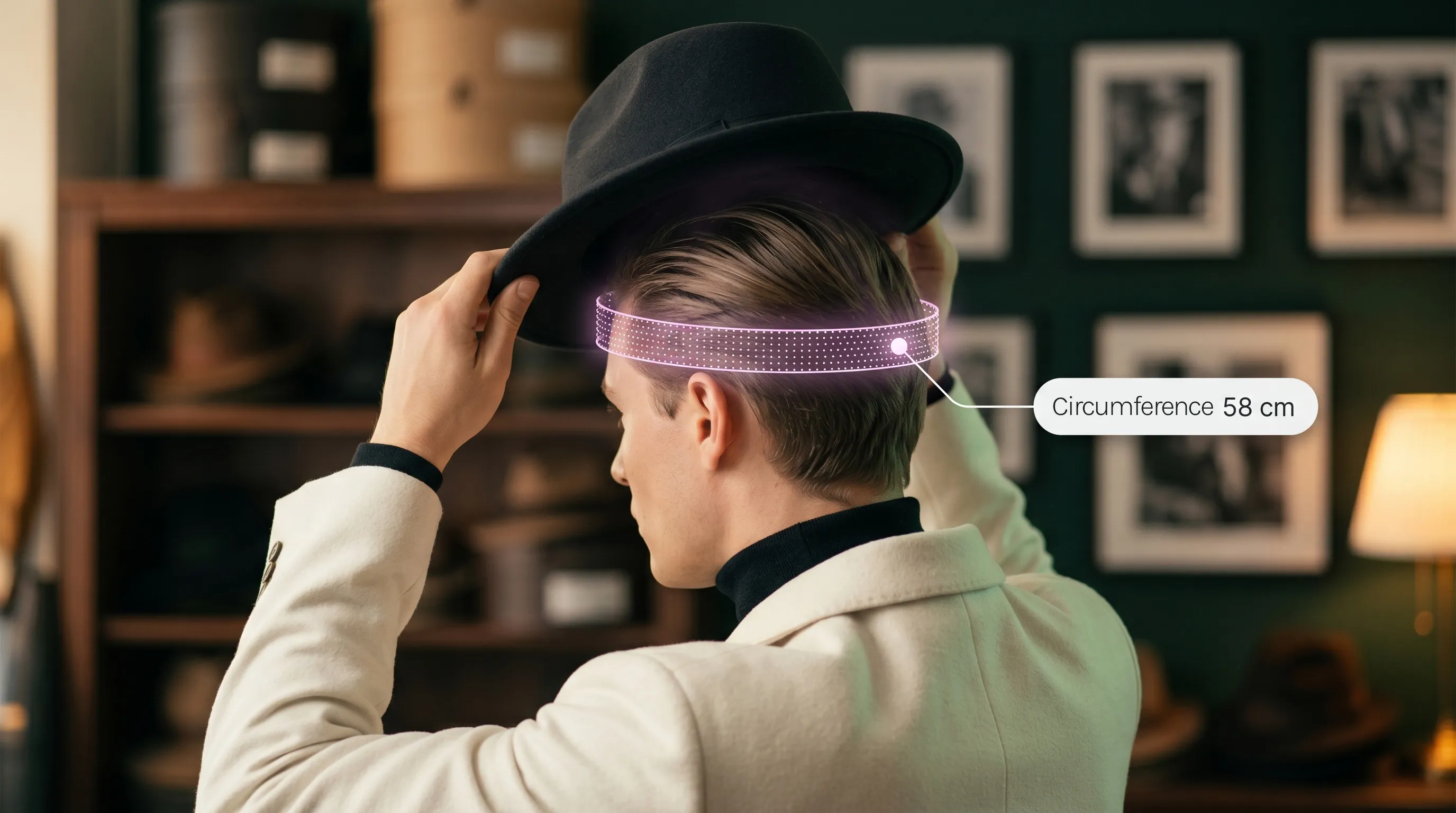
A customer falls in love with a hat in your store. They reach the size selector: Small, Medium, Large.
Then hesitation sets in.
Do they likely have a flexible tailor’s tape measure available? Almost certainly not.
In that split second, your store leaks revenue in one of two ways:
- Cart abandonment: They promise themselves they will measure at home later. They close the tab, and they never return.
- Bracketing: They buy both Medium and Large just in case. You celebrate an order today, but you take on double shipping, inventory locked in transit, and an expensive return next week.
Headwear sizing is tough. Crowns do not stretch like T-shirts, head shapes differ, and a “Medium” in one brand rarely matches another. When faced with sizing challenges, shoppers require clarity instead of a tape measure.
Here is how to guide your customers to the right hat size directly on your product pages, even when they do not have a tape measure in sight.
1. Route shoppers by what they already know
Before asking anyone to measure, make sizing simple right beside the size selector.
Some shoppers already know their head circumference in centimeters or inches. For them, a clear size chart beside the dropdown gives them everything they need to hit checkout immediately.
Other shoppers only know their size in another brand. Treating a label like “I wear a 7 1/8 in Stetson” as a universal match is a recipe for returns. Different crowns, sweatbands, and materials fit differently.
Use this quick routing guide to give every shopper the next logical step:
| What your shopper has | Their fastest path to checkout |
|---|---|
| Knows their head circumference | Check the product-specific size chart beside the selector. |
| Knows their size in another hat brand | Measure head circumference; brand sizing systems vary widely. |
| Has no tape measure, but has string and a ruler | Follow a 4-step manual measurement. |
| Has no measuring tools at all | Use camera-based measurement directly in the browser. |
| Sits right on the boundary between two sizes | Check model-specific fit advice or reach out to support. |
| Prefers not to use a camera | Use the manual guide, product chart, or contact support. |
Meet your customers where they are. When you offer clear paths based on what they already know, you eliminate unnecessary steps and protect the sale.
2. Offer a manual fallback with string and a ruler
Shoppers rarely carry a soft measuring tape, but almost everyone has a piece of string, a shoelace, or a charging cable—and a standard ruler.
Stetson’s size guide recommends string as a practical manual alternative. Keep the steps on your product page simple and clear:
- Wrap: Take a non-stretch string around the head where the hat naturally sits (typically 1 cm above the ears and mid-forehead).
- Mark: Hold the string snug without pulling it tight, and pinch or mark where the ends meet.
- Measure: Lay the string flat against a ruler to read the circumference.
- Compare: Match that number to the size chart for the chosen hat.
Remind shoppers to measure twice to confirm their reading. If their measurement sits between two sizes, show the manufacturer’s specific advice for that model instead of applying a blunt “always size up” rule.
This manual method works well for shoppers at a desk. But when a mobile customer is on the go with neither a tape nor a ruler, they need a frictionless digital alternative.
3. Use camera measurement for instant size recommendations
When shoppers browse from a phone, asking them to find a ruler or hunt down a tape measure usually kills the purchase.
TWIWT Head Measurement gives shoppers a fast, tool-free alternative directly in their mobile or desktop browser. The shopper follows simple camera guidance, and the tool matches their measured head dimensions to the specific size chart assigned to that product.
Notice the key difference here: a measurement alone is not enough.
If a tool only tells a customer “your head is 58 cm,” they still have to interpret your chart and decide whether that means Medium or Large. TWIWT’s embedded widget connects the measurement directly to your catalog mapping, turning head dimensions into an immediate size recommendation.
Always present the outcome as a recommendation. While camera measurement captures head dimensions, personal comfort and styling preferences still matter. A clear recommendation reduces decision paralysis while setting honest expectations.
4. Remove fit doubts right at the size selector
A customer can have their circumference in hand and still hesitate at “Add to Cart.”
Headwear includes subtle differences that numbers alone can’t communicate. For instance, a stiff wool felt fedora feels different from an unstructured cotton bucket hat. An adjustable snapback provides flexibility, whereas a fitted cap does not.
Clear these doubts directly beside the size selector:
- Specific product chart: Show the measurement ranges for this specific model, with centimeters and inches clearly labeled.
- Between-size guidance: State clearly whether this model runs snug or roomy, and what to do if a shopper falls on the line between sizes.
- Construction notes: Highlight adjustable closures, internal drawstrings, or sweatband stretch so shoppers know how the hat adapts.
- Visible sizing assistance: Offer a quick link to message your team if they have an uncommon fit question.
- Reassuring exchange policy: Make your return and exchange policy visible so shoppers feel safe completing their order.
When you resolve these anxieties on the product page, shoppers do not have to leave the page to hunt for answers. They can shop with confidence and move straight to checkout.
5. Train customer support to diagnose sizing in one message
When an unsure shopper reaches out to support, replying with a generic link to your size guide creates frustration. They likely already looked at the guide and found it unclear.
Give your support team a proactive prompt that diagnoses the issue immediately:
“Which hat model are you considering, and what feels uncertain about the fit? If you have a head measurement in centimeters or a hat that fits you well, share those details so we can guide you.”
This single question reveals whether the customer lacks a measurement, worries about crown depth, or sits between two sizes.
If their measurement is on a boundary, refer to the manufacturer notes for that crown structure. If they encountered pinching with a previous hat, discuss the fit instead of just swapping labels.
Never let your support team guess a size. Guessing only shifts sizing uncertainty into an expensive return shipment later.
6. Build a smooth fallback for shoppers who decline camera access
Some shoppers decline camera access due to device permissions, privacy habits, or because they are shopping in a public space.
Make sure their journey never hits a dead end:
- Explain before you prompt: State clearly what the camera does (measuring head dimensions locally) and what it never does (no photos saved, no facial recognition, no personal data stored).
- Provide a one-click manual fallback: If a customer clicks “Deny,” seamlessly open the string-and-ruler guide and the product size chart.
- Avoid permission loops: Never re-prompt or block the screen after a shopper declines access.
TWIWT’s product documentation prioritizes fallback options, so shoppers always have a clear path forward. Respecting customer preferences builds trust and keeps the checkout path open.
7. Turn bracketing into an operational diagnostic
When you see an order containing the same hat in Medium and Large, do not treat it as business as usual.
Bracketing is customer risk mitigation. Shoppers order two sizes because your product page left them uncertain about which one would fit. They intend to keep one and send the other back at your expense.
Every bracketed order costs you money:
- Double outbound shipping and return freight
- Inventory tied up in transit during peak selling periods
- Restocking and repackaging labor
Track bracketed orders alongside return reasons and customer support inquiries. Did customers return a specific model because the sweatband ran tight? Was the boundary between sizes unclear?
Clear size recommendations and transparent fit notes help shoppers commit to a single size. Monitor your return reasons over time to see where sizing clarity delivers the biggest operational payoff for your brand.
8. Put sizing clarity to work on your storefront
Take five minutes today to audit your own store. Open your bestselling hat on your mobile phone and ask yourself:
- Can a customer find the size chart in under three seconds?
- If they do not have a tape measure, do they have an easy way to measure?
- Do they have the clarity to buy one size instead of two?
TWIWT helps headwear brands turn sizing doubt into confident purchases. TWIWT Head Measurement size recommendation runs as a lightweight embedded widget directly in your shopper’s browser. With a simple JavaScript snippet and catalog feed sync, you connect camera-based head measurement directly to your product-specific size chart.
Give your shoppers the confidence to choose their size before they buy
See how camera measurement and tailored size recommendations work on your own catalog.
Related articles

How to Add Size Charts to Hat and Helmet Product Pages
Stop wrong-size returns and cart hesitation. Learn how to add product-specific hat and helmet size charts to Shopify and WooCommerce with popups, cm/in units, and a mobile-friendly setup.

How to Add Camera-Based Hat and Helmet Size Recommendations to Shopify
A step-by-step guide to setting up TWIWT Head Measurement on Shopify: activate theme embeds, configure sizing thresholds, and give shoppers instant head measurements without a tape measure.

How to Manage Size Charts and Head Shape Rules for a Multi-Brand Helmet Store
A practical framework for multi-brand helmet stores: verify manufacturer size charts, preserve head-shape guidance, map products, and keep sizing updates in sync.