Makeup Virtual Try-On for Ecommerce
Let customers compare makeup shades on their own face.
When product photos leave shoppers unsure, TWIWT adds a personal virtual preview to your product pages, so they can explore their options before ordering.
Demo ready in 2 business days • 1 line of JavaScript to embed • Connects to your existing product feed
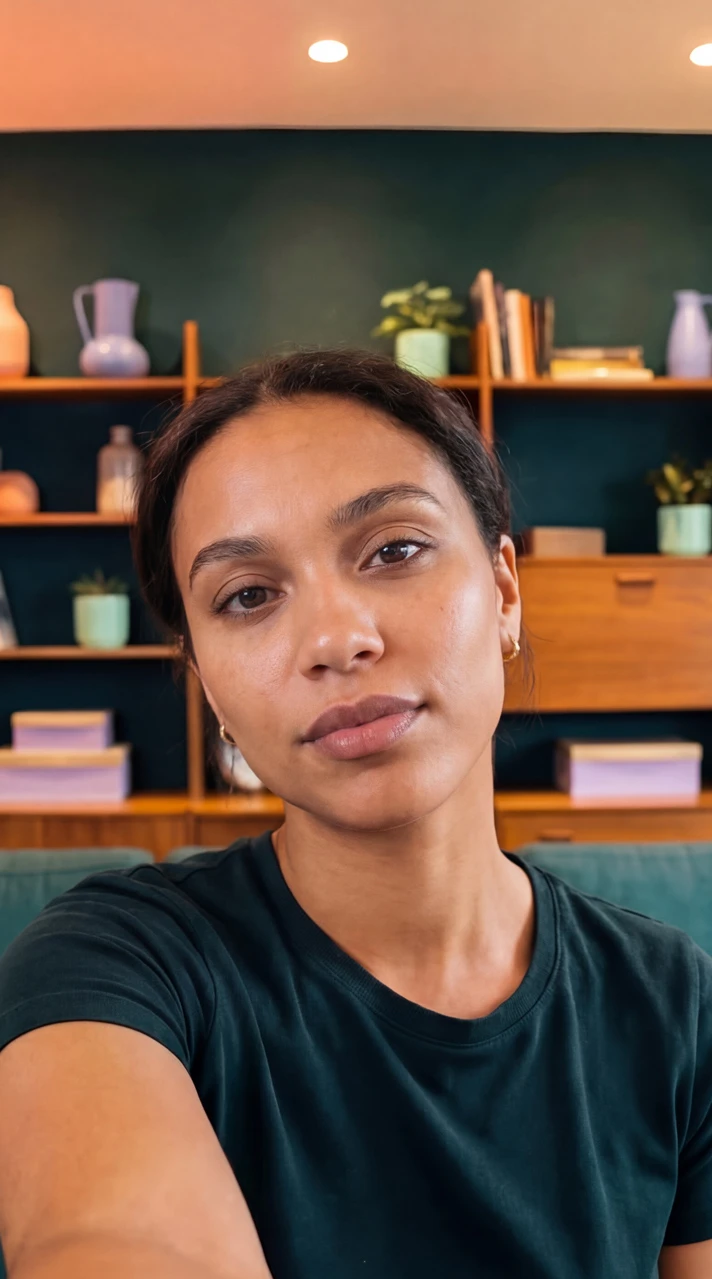
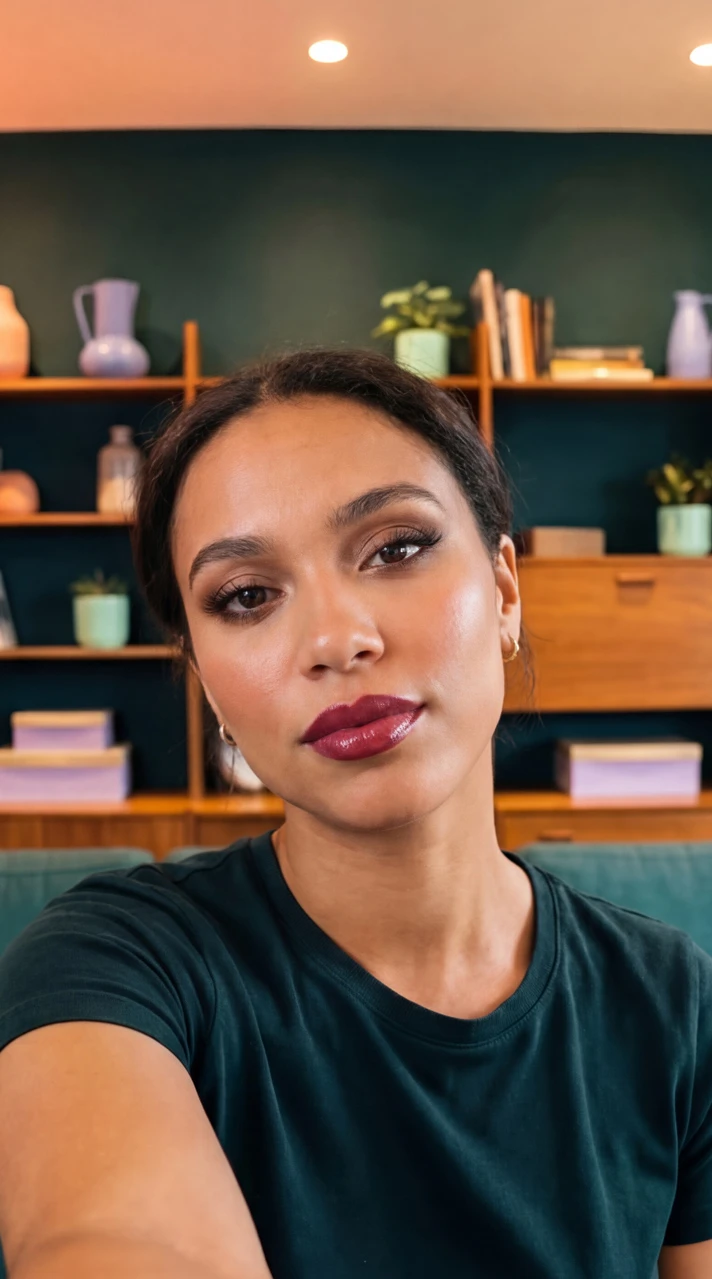
Makeup brands using virtual try-on
United States
Poland
Australia
Saudi Arabia
United States
Colombia
Saudi Arabia
United States
Czechia
United Arab Emirates
United Kingdom
Brazil
Cyprus
Chile
The buying decision
Help shoppers choose the right shade before checkout.
Give customers more information about their shade choice at the point of purchase.
Compare shades on their own face: Let shoppers explore colors against their own skin tone and answer “will this shade suit me?” before ordering. Facial mapping places the virtual makeup on lips, cheeks, or eyes in the shopper’s browser.
Explore different finishes: Help shoppers compare matte, gloss, and shimmer previews as they explore your range.
Discover a coordinated look: Make it easier to explore complementary lipstick, blush, and eyeshadow shades from your catalog. Connect the try-on experience to your products so shoppers can move from exploring shades to choosing what to buy.
Know what to expect: A virtual preview is a visual guide. Lighting, screen settings, and the physical formula can change the final appearance.
Bring Cosmetics virtual try-on to your Shopify store
Let shoppers compare makeup shades on their own face, directly in your store. Install TWIWT Cosmetics Try-On from the Shopify App Store to get started.
Install Cosmetics Try-On on your storeAdd virtual try-on to your existing store.
Deploy an embedded widget on your product pages without rebuilding your ecommerce store.
One line of JavaScript
Add the widget to your store template. Our team helps with styling and button placement so it fits your brand. Shoppers open try-on in their browser on desktop, mobile, or tablet. No app download required.
Connect your product feed
Use your existing product feed to connect your catalog to the try-on experience. We review your product data and shade information during setup, starting with the products in your demo.
Preview shades and finishes
Give customers a visual way to compare cosmetic colors and finishes on their face. Review your product previews in the branded demo before rolling the widget out across your store.
See your own makeup products in a live virtual try-on.
Send us 3 product links from your store. We’ll configure a private, working demo showing your shades on real faces within 2 business days.
Frequently Asked Questions
What is Makeup Virtual Try-On and how does it work?
Makeup Virtual Try-On is an embedded widget that lets customers preview cosmetics on their own face using their device camera or an uploaded photo. It provides a visual guide for comparing shades and finishes before purchasing.
What types of makeup products and finishes are supported?
Shoppers can preview lipstick, foundation, blush, eyeshadow, eyeliner, and highlighter. Lip finishes include matte, gloss, and glitter effects. Send us your product links so we can review the shades and finishes you want to include in your demo.
How accurately does the virtual preview match the physical product?
The tool provides an informative virtual preview, not a guarantee of the exact physical result. Makeup appearance depends on the formula, skin texture, lighting, camera, and screen. Use the preview to compare shades and make a more informed choice.
How is TWIWT integrated into an ecommerce website?
Add a single line of JavaScript to your store template and connect your existing product feed. Our team helps with catalog setup, widget styling, and button placement so the experience fits your store.
How do we measure conversion impact and commercial return?
Measure try-on activity alongside add-to-cart rates and completed orders in your store analytics. A 50/50 holdout experiment compares visitors with and without the widget, helping you assess its effect on your own traffic. Discuss tracking requirements with our team during onboarding.
How are customer photos and privacy handled?
Camera access requires the shopper’s permission. Before launch, review how the selected try-on setup handles live video and uploaded photos, including processing, retention, and deletion. Ask our team for the applicable data-handling documentation during your demo review.
What does TWIWT cost, and is there a trial?
See our makeup try-on plans for the free option, monthly allowances, and paid plans. You can also request a free branded demo using your own products before choosing a plan. Contact our team to discuss your catalog and expected usage.